
OTWONO LABS / NOTEBOOK
Programming variables: follow one value through a program
Learn one step at a time, with examples, practice and a place for your questions.
Start this lessonComputing and logic · LESSON 1 OF 3
Trace a stored number through a short sequence of updates.
Before you start: Add and multiply small numbers. No coding experience is assumed; the examples use simplified instructions.
Suggested pace: 20 to 35 minutes, with extra time for practice. You can stop after any section and return.
Start with something concrete
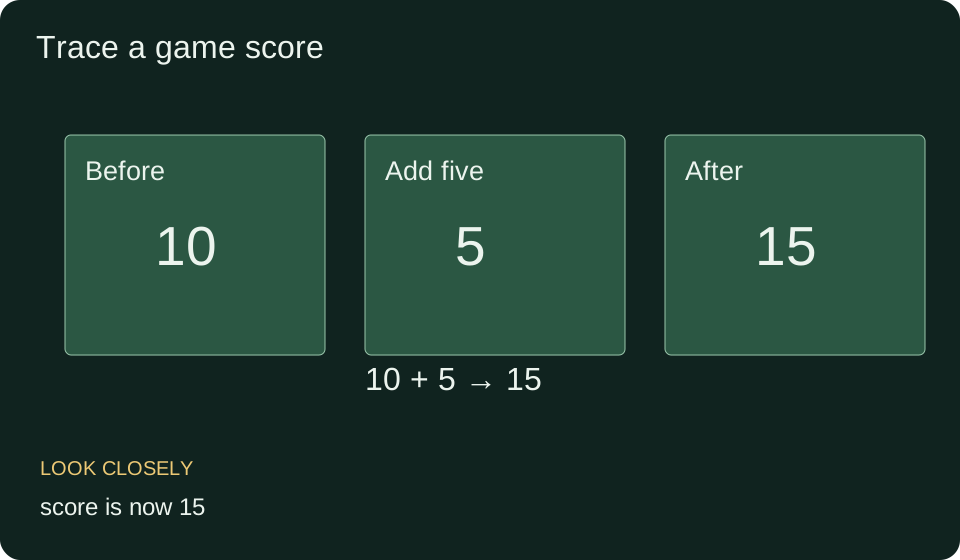
A game needs to remember your score. Instead of writing the number everywhere, it stores a value under the name score. At the start, score contains ten. A later instruction can replace that value when you earn points.
The words we will use
- Variable
- A name used to refer to a stored value.
- State
- The values currently stored at a particular point in a program.
- Assignment
- An instruction that stores a value under a name.
- Trace
- A record of what happens after each instruction.
Understand the idea
Read instructions in order. ‘Set score to 10’ creates a starting value for this example. ‘Set score to score + 5’ first reads the current ten, calculates fifteen and then stores fifteen under the same name.
The assignment notation score = score + 5 in many programming languages describes an update. It is not the algebraic claim that a fixed number equals itself plus five. The right side is evaluated before the left side receives its new value.
To trace a program, write the variable value after each line. This makes it clear which version of the value the next instruction uses. Do not jump straight to the final answer if you are learning how updates work.
Teacher example: add points, then double them
- Set score to 10. Record: score is 10.
- Set score to score + 5. Read 10, add 5, store 15.
- Set score to score × 2. Read the current 15, multiply by 2, store 30.
- The final score is 30. The original ten is not reused by the third instruction.
Connect the example to the rule
Order matters. If you double ten first and then add five, the result is twenty five. The operations are the same but their sequence differs. A trace helps you locate exactly where two programs diverge.
Your turn, with support
Start points at 4. Add 3, then multiply the current value by 2. Record the value after each instruction.
Show one hint
Use the result of the addition as the input to multiplication.
Compare your working
The values are 4, then 7, then 14.
A mistake worth understanding
A learner gets twenty for the original example by doubling the initial ten and forgetting the update to fifteen. The mistake is using stale state. Record each intermediate value before moving on.
Check the idea before moving on
The interactive questions load when JavaScript is available. You can still use all written practice below.
Now solve without the example
- Start at 6, multiply by 3, then add 2.
- Start at 6, add 2, then multiply by 3.
- Explain why those results differ.
Check the independent answers
- 6, 18, 20.
- 6, 8, 24.
- The multiplication uses different current values: six in the first sequence and eight in the second.
Use it in a new situation
An inventory count starts at twelve. Three items arrive, then five leave. Trace the remaining count.
Compare a possible solution
12 → 15 → 10. Each update uses the count after the previous event.
What to take away
Name the value, evaluate the next expression using current state, store the result and record it before continuing.
Before your next lesson
Close this page and explain the main idea in your own words. Rework one of the independent problems without looking. If a step is still unclear, return to the worked example and compare that exact step. Tomorrow, try the transfer problem again before opening its answer.
For a saved introductory check, open this lesson in your signed in workspace and choose Tests. Practice choices on this page are not a qualification or a substitute for independent work.
Next in this path: If then reasoning: what a rule actually lets you conclude